Waiting for your WhatsApp verification code but the SMS never arrives?
You're not alone. WhatsApp verification problems can happen when the phone number is entered incorrectly, your mobile network isn't receiving SMS messages, you've requested codes too many times, your phone is blocking calls or messages, or you're trying to register an unsupported number.
The good news is that most WhatsApp verification problems can be fixed without changing your phone number.
In this guide, we'll explain why your WhatsApp verification code is not being received and what to do, step by step.
If you're setting up WhatsApp Business for your company, we've also included a section explaining what to check when verification becomes a business setup problem.
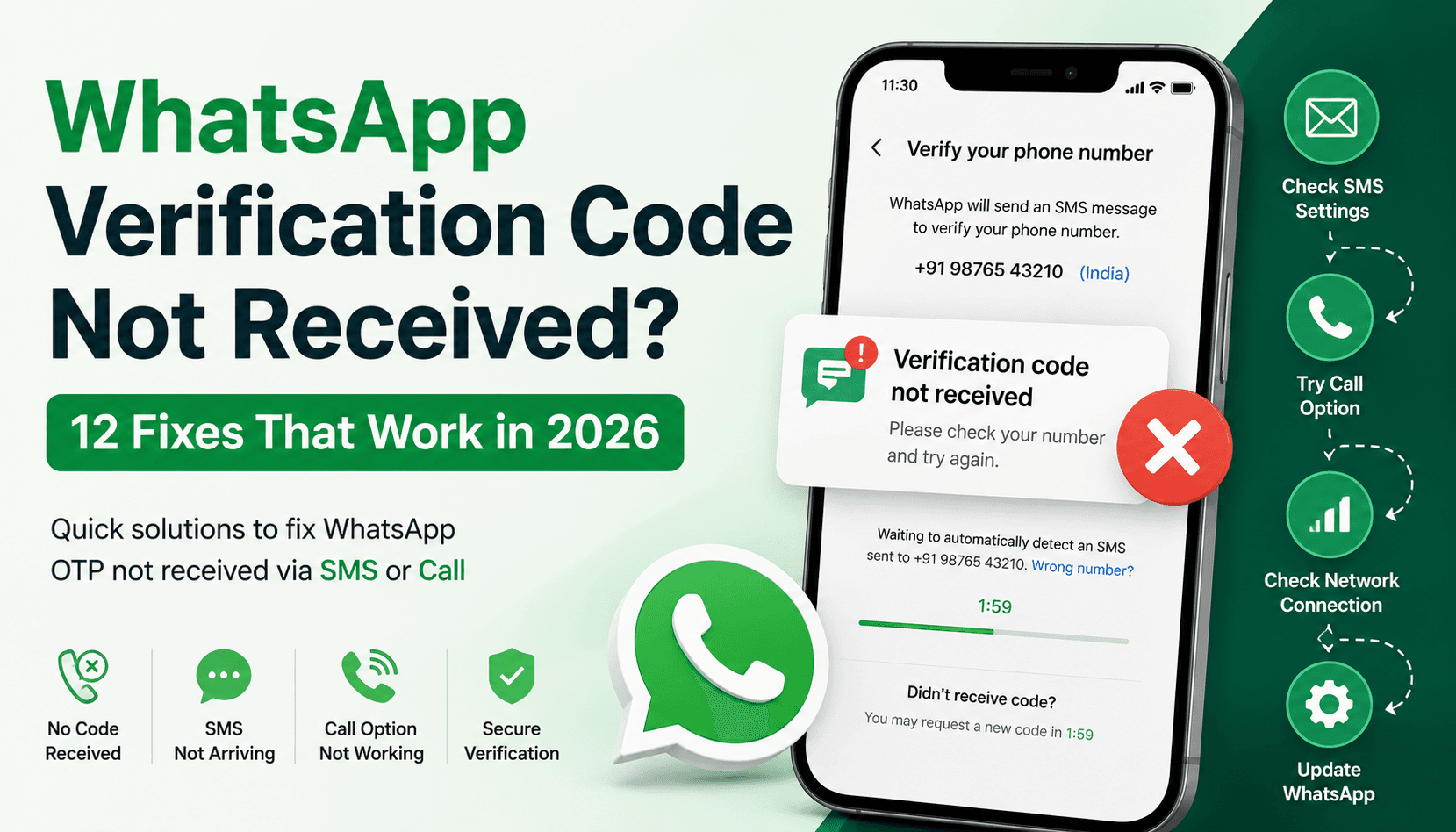
Quick Answer: Why Am I Not Receiving My WhatsApp Verification Code?
If your WhatsApp verification code isn't arriving, check these things first:
Make sure your phone number and country code are correct.
Make sure your SIM can receive normal SMS messages.
Check your mobile network signal.
Wait for the verification timer before requesting another code.
Don't repeatedly guess or request codes.
Try the Call me option when it becomes available.
Turn off call-blocking and SMS-filtering settings.
Update WhatsApp to the latest version.
Restart your phone.
Make sure you're using a supported phone number.
Check whether you're registering on the correct device.
If you've already added an email to WhatsApp, check whether email verification is available for your re-registration.
WhatsApp says the registration code is normally sent by SMS or phone call, and you should wait for the timer to finish before trying again. The wait can take up to 10 minutes.
1. Is Your WhatsApp Verification Code Not Arriving Because You Entered the Wrong Number?
This is the first thing to check.
WhatsApp requires your phone number in full international format.
That means you need the correct country code followed by your phone number.
Don't add unnecessary leading zeros or exit codes.
For example, if you're registering an Indian number, select India from the country list and enter the number in the format WhatsApp expects rather than manually adding extra prefixes.
If the number is incorrect, WhatsApp may be sending the verification code somewhere other than the number you actually control.
What to do
Go back to the registration screen and carefully check:
Country
Country code
Phone number
Leading zeros
Any extra digits
Then request the code again.
WhatsApp specifically recommends entering the complete international phone number and removing leading zeros or exit codes.
2. Not Receiving the WhatsApp SMS? Check If Your SIM Can Receive Normal Text Messages
Before blaming WhatsApp, test your phone number.
Ask someone to send you a normal SMS.
If you can't receive a regular text message either, the problem probably isn't WhatsApp.
It could be:
Your SIM card
Mobile network
Carrier restrictions
Poor network coverage
A recently activated or replaced SIM
Roaming problems
WhatsApp recommends testing your phone's ability to receive SMS when registration isn't working.
Quick test
Ask another phone to send a text message to the exact number you're trying to register.
If that SMS doesn't arrive, contact your mobile carrier before repeatedly requesting WhatsApp codes.
3. WhatsApp Verification Code Is Delayed? Don't Keep Requesting New Codes
This is one of the biggest mistakes people make.
You request a code.
Nothing happens.
You tap Resend code.
Still nothing.
Then you request another one.
And another.
That can make the situation worse.
WhatsApp says to wait for the timer to finish before retrying. The waiting period can take up to 10 minutes. It also warns users not to guess the verification code because entering incorrect codes can result in a temporary lockout.
The better approach
Request the code once.
Wait.
Check your SMS.
If the timer finishes and the code still hasn't arrived, use the available alternative verification method.
Don't keep guessing six-digit codes.
4. WhatsApp SMS Code Not Received? Try the “Call Me” Option
If SMS isn't arriving, WhatsApp may give you the option to verify through a phone call.
This can be one of the fastest solutions when your SMS delivery is delayed.
Once the timer finishes, look for the option to receive a call.
WhatsApp's official instructions say that you can choose Call me after the waiting period, after which an automated voice call provides the six-digit verification code.
Why this helps
Sometimes SMS delivery is affected by:
Carrier delays
SMS filtering
Network congestion
Temporary routing issues
A voice call can bypass the specific SMS problem.
On Android, WhatsApp may also support verification through a missed call in supported situations.
5. Can't Receive the WhatsApp Verification Call? Check Call Blocking
What if you selected Call me, but the verification call never reaches you?
Check whether your phone is blocking unknown or suspicious calls.
Look at:
Call-blocking settings
Spam-call protection
Third-party call-blocking apps
Carrier-level call filtering
Do Not Disturb settings
WhatsApp specifically recommends disabling call-blocking settings, apps, and task killers when registering a phone number.
Temporarily disable aggressive call filtering, request the verification call again, and see whether it arrives.
6. WhatsApp Verification Code Not Coming Because of Poor Network?
Your phone doesn't necessarily need a perfect internet connection to receive an SMS, but WhatsApp does require a working internet connection for registration and related processes.
If your network is unstable, switch between:
Wi-Fi → mobile data
or
mobile data → Wi-Fi
Then try again.
WhatsApp recommends having a working internet connection through mobile data or Wi-Fi and notes that roaming or poor connectivity can interfere with registration.
Try this simple reset
Turn Airplane Mode on.
Wait about 10 seconds.
Turn it off.
Wait for your network signal to return.
Then reopen WhatsApp and continue registration.
7. WhatsApp Verification Code Not Received After Switching to a New SIM?
If you've recently changed your SIM or moved your number to another device, verification can become confusing.
First, make sure the SIM or eSIM you're using is actually associated with the number you're trying to register.
Your WhatsApp account is associated with your phone number, not simply the physical SIM itself. WhatsApp also notes that an active SIM or eSIM with your registered number is required to maintain access to the account.
If you've recently moved your number to a new device, check whether WhatsApp offers an alternative verification process through your previous device.
For eligible accounts, WhatsApp may allow verification using the old device rather than requiring a new SMS.
8. WhatsApp Verification Code Not Working? Update WhatsApp First
Sometimes the problem isn't the code.
It can be the app.
If you're running an outdated version of WhatsApp, update it before trying another complicated fix.
WhatsApp recommends using the latest version when registering your phone number.
On Android
Open the Google Play Store, search for WhatsApp, and check for an update.
On iPhone
Open the App Store, search for WhatsApp, and install any available update.
After updating, restart your phone and try registration again.
9. Restart Your Phone Before Requesting Another WhatsApp Code
This sounds basic, but it's worth doing.
A restart can refresh:
Mobile network registration
SMS services
Background processes
App connections
SIM detection
WhatsApp itself recommends turning the phone off, waiting around 30 seconds, and turning it back on when troubleshooting registration problems.
After restarting:
Wait for your mobile signal to return.
Confirm that you can receive a normal SMS.
Open WhatsApp.
Enter your number carefully.
Request the verification code.
Wait for the timer before trying another method.
10. Your WhatsApp Verification Code Isn't Coming Because Your Number Isn't Supported
Not every type of phone number can be registered in every WhatsApp scenario.
WhatsApp says unsupported numbers can include certain:
VoIP numbers
Toll-free numbers
Paid premium numbers
Universal access numbers
Other unsupported number types
Regular WhatsApp is primarily designed around mobile numbers. The WhatsApp Business app has additional support for certain landline registrations through phone-call verification.
So if you're trying to register a virtual, VoIP, business, or special-purpose number, check whether that number type is actually supported.
This is particularly important for companies setting up WhatsApp Business.
11. WhatsApp Business Verification Code Not Received? Check Your Business Number
If you're registering WhatsApp Business, don't assume that every business phone number will work exactly like a normal mobile number.
WhatsApp Business supports mobile numbers and, in certain cases, landline numbers. WhatsApp says landline registration uses a phone call rather than SMS.
Make sure:
You own the number.
You can receive calls or SMS on it.
The number is supported.
The number is entered correctly.
Call-blocking settings are disabled.
You have a working internet connection.
For a business, verification is only the beginning.
Once your WhatsApp number is verified, the bigger challenge is often what happens next: handling customer enquiries, following up with leads, automating repetitive conversations, and making sure your team can manage WhatsApp without everything depending on one person's phone.
That's where a platform such as Chati can become useful.
Explore Chati for WhatsApp customer communication and automation →
Instead of treating WhatsApp as just another phone inbox, you can use automation to handle repetitive conversations and help your team respond to customers more efficiently.
12. Still Not Receiving the WhatsApp Code? Reinstall WhatsApp as a Last Resort
If you've checked your number, network, SMS reception, call settings, and WhatsApp version and you're still stuck, reinstalling the latest version can be worth trying.
But don't make this your first solution.
If you're already using WhatsApp and have important conversations stored on the device, make sure your chats are backed up before uninstalling the app.
WhatsApp itself recommends backing up your messages before deleting and reinstalling the app during registration troubleshooting.
After reinstalling:
Install the latest version.
Open WhatsApp.
Enter your number in international format.
Request the SMS code.
Wait for the timer.
Use the phone-call option if available.
What If You Requested Too Many WhatsApp Verification Codes?
If you've requested multiple codes or entered incorrect codes repeatedly, you may see a message indicating that you've tried too many times.
The important thing is not to keep trying.
WhatsApp says there is no way to speed up the designated waiting period after too many incorrect attempts.
Wait until WhatsApp allows you to try again.
When you get another opportunity:
Enter the correct country code.
Enter the correct number.
Request the code once.
Wait for the SMS.
Use the call option if available.
Don't guess the six-digit code.
What If WhatsApp Sends the Verification Code to the Wrong Number?
If the code is going to a number you don't control, stop and check the phone number shown on the registration screen.
WhatsApp only sends the registration code to the number you're attempting to verify.
If you accidentally entered the wrong number, correct it before requesting another code.
Also remember that you should never ask another person for their WhatsApp verification code and never give your own code to anyone.
The six-digit registration code is a security credential. WhatsApp warns users never to share it with others.
Can You Get the WhatsApp Verification Code by Email?
Sometimes—but there is an important limitation.
WhatsApp says email verification can be available when you're re-registering an existing phone number and you've already added your email address to your WhatsApp account.
So don't assume that you can simply enter any email address and receive a WhatsApp registration code there.
For a new registration, WhatsApp's standard methods are SMS or phone call.
If you previously added and verified an email address to your account, check whether WhatsApp offers the email option during re-registration.
What If You Need WhatsApp Verification for Your Business?
For a small business, getting the verification code is usually the easy part.
The real challenge begins after the account is active.
Imagine receiving:
50 new customer enquiries every day
Property leads asking for prices
Restaurant customers asking for reservations
Finance customers asking about payments
Customers requesting order updates
Existing customers needing support
Manually answering every conversation can quickly become a full-time job.
That's why businesses increasingly look at WhatsApp automation after getting their account set up.
With Chati, businesses can use WhatsApp as more than a simple inbox—helping automate customer conversations, capture leads, answer repetitive questions, and keep customer communication organized.
See how Chati can help automate WhatsApp conversations for your business →
The goal isn't to automate every conversation.
It's to automate the repetitive parts so your team can spend more time on conversations that actually need a human.
WhatsApp Verification vs WhatsApp Business Automation
These are two different problems.
Verification answers:
“Can I prove that I own this phone number?”
Automation answers:
“How do I manage all the customers who message me after my WhatsApp account is active?”
If you're a business, solving the first problem is only step one.
Once customer conversations start increasing, you may need:
Automated replies
Lead qualification
Customer follow-ups
Team inboxes
Conversation routing
Appointment or enquiry automation
Customer support workflows
Campaign management
AI-powered responses
If you're currently handling all of this manually from one WhatsApp account, that's usually a sign that your process is ready for automation.
Discover Chati's WhatsApp automation tools →
How to Prevent WhatsApp Verification Problems in the Future
You can avoid many verification headaches by preparing your account properly.
Keep your WhatsApp app updated.
Make sure the phone number attached to your account remains active and able to receive SMS or calls.
Don't repeatedly switch your WhatsApp number between devices without a reason.
Don't share your six-digit verification code with anyone.
Enable additional account security features when available.
WhatsApp also recommends adding an email address to your account, which can provide another recovery option during re-registration.
And if you're setting up WhatsApp for a business, use a number that your business actually controls rather than relying on a temporary number that may become inaccessible later.
When Should You Contact WhatsApp Support?
If you've tried the normal troubleshooting steps and still cannot register your number, contacting WhatsApp support may be the next step.
Before contacting support, prepare:
Your phone number with country code
Your device model
Android or iOS version
WhatsApp version
Screenshot of the error
When the problem started
Whether normal SMS works
Whether normal phone calls work
This gives you useful information to explain the problem clearly.
Frequently Asked Questions
Why am I not receiving my WhatsApp verification code?
The most common reasons are an incorrectly entered phone number, poor mobile reception, SMS delivery problems, an unsupported number, call or SMS blocking, outdated WhatsApp, or requesting codes repeatedly.
Start by checking your number and SMS reception, then wait for the verification timer before trying again.
How long does it take to receive a WhatsApp verification code?
The code often arrives within a few minutes, but WhatsApp says the waiting period can take up to 10 minutes. Wait for the timer to finish before requesting another code.
What should I do if WhatsApp OTP is not coming?
Check your phone number and country code, test whether you can receive normal SMS messages, verify your network connection, update WhatsApp, and restart your phone.
If the SMS still doesn't arrive after the timer finishes, use the Call me option if WhatsApp provides it.
Can I get the WhatsApp verification code by phone call?
Yes. When the option becomes available, WhatsApp can provide the six-digit verification code through an automated phone call.
Why is WhatsApp saying I tried too many times?
This usually happens after too many verification attempts or incorrect code entries.
Don't keep requesting codes or guessing the number. WhatsApp requires you to wait for the designated period before trying again.
Can I receive my WhatsApp verification code by email?
Email verification may be available when you're re-registering an existing WhatsApp number and you've already added your email address to your account. It isn't simply a replacement for SMS during every new registration.
Why isn't my WhatsApp Business verification code arriving?
Check your business number, SMS or call reception, country code, internet connection, and whether your number type is supported.
If you're registering a landline through the WhatsApp Business app, verification is done through a phone call rather than SMS.
Can I use a VoIP number for WhatsApp verification?
WhatsApp lists VoIP numbers among unsupported phone-number types for registration. If you're trying to register a virtual or VoIP number, check whether your specific setup is supported before continuing.
Why am I not receiving WhatsApp verification calls?
Your phone may be blocking unknown or spam calls, your carrier may be filtering calls, or your network may be having problems.
Check call-blocking settings and wait until the verification timer allows you to request another call.
Should I uninstall WhatsApp if I don't receive the verification code?
Not immediately.
First check your phone number, network, SMS reception, call settings, and WhatsApp version.
If the problem continues, WhatsApp recommends backing up your chats and reinstalling the latest version as part of its troubleshooting process.
Final Takeaway
If your WhatsApp verification code is not received, don't keep pressing “resend” and don't start guessing codes.
Start with the basics:
Check your number → test normal SMS → check your network → wait for the timer → try the phone-call option → update WhatsApp → restart your phone → check number compatibility → reinstall only if necessary.
For most people, one of these steps solves the problem.
For businesses, however, verification is only the beginning.
Once your WhatsApp number is active, the next challenge is managing the conversations that come with it.
If you're receiving customer enquiries, leads, support requests, bookings, or sales conversations through WhatsApp, automation can help your team respond faster without manually handling every repetitive question.
Try Chati for WhatsApp automation and customer communication →
Related WhatsApp Guides
If you're setting up or troubleshooting WhatsApp for your business, these guides can help next:
WhatsApp Messages Not Delivered? 15 Fixes That Work
WhatsApp QR Code Not Working? 10 Fixes That Work
WhatsApp Device Limit Reached? How to Fix Multi-Device Errors