Seeing a message that your WhatsApp number has been banned can be alarming—especially if your business uses WhatsApp to communicate with customers, follow up on leads, confirm orders, or provide support.
The good news is that a ban does not always mean you have permanently lost access.
The first step is to understand why the WhatsApp number was banned, whether the restriction is temporary or permanent, and what you can do next.
This guide explains what to do when your WhatsApp Business number is banned, common reasons for restrictions, how to request a review, and how businesses can reduce the risk of future account problems.
What Does a WhatsApp Number Ban Mean?
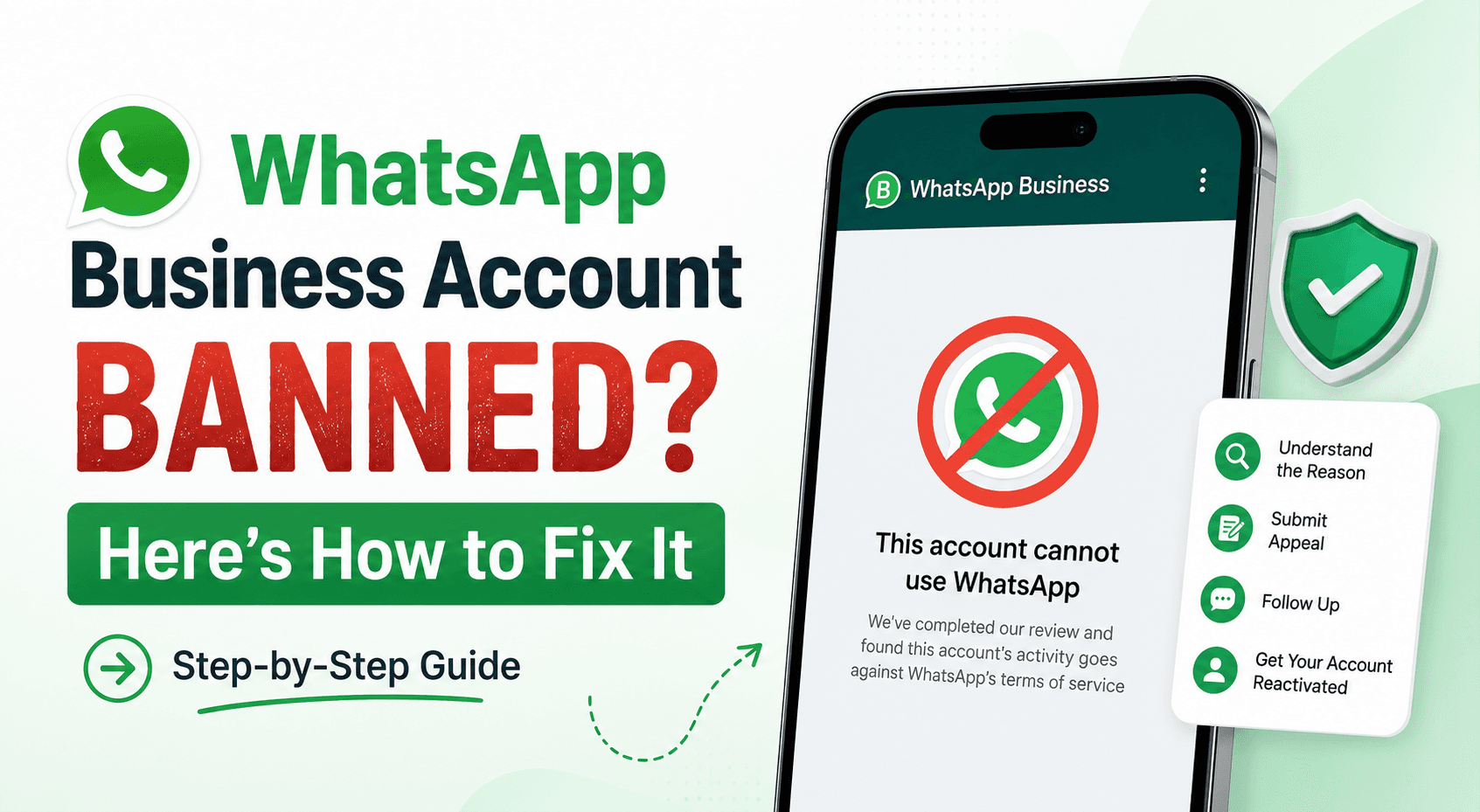
A WhatsApp ban means WhatsApp has restricted your account from using some or all of its services.
You may see a message such as:
"This account is not allowed to use WhatsApp."
The restriction can prevent you from sending and receiving messages normally.
For businesses, this can interrupt customer support, sales conversations, marketing campaigns, appointment reminders, and other important communication.
The exact restriction and recovery options can depend on the reason for the action and the WhatsApp product you are using.
Why Was My WhatsApp Number Banned?
There isn't always one obvious reason.
WhatsApp uses automated systems, user reports, and policy enforcement mechanisms to identify activity that may violate its rules or create poor experiences for users.
Common situations that can lead to restrictions include:
1. Sending Unwanted Messages
Sending messages to people who did not expect to hear from your business can result in complaints or reports.
For example, repeatedly sending promotional messages to purchased or scraped contact lists creates a poor user experience.
For business messaging, having appropriate user consent or opt-in is important.
2. Too Many People Blocking or Reporting Your Number
If recipients frequently block or report your business, it can be a signal that your messages aren't wanted.
This is particularly important for businesses running large WhatsApp campaigns.
Sending thousands of messages isn't useful if a large percentage of recipients don't want them.
The goal should be relevant conversations with people who expect to hear from you, rather than simply maximizing message volume.
3. Using Unofficial WhatsApp Software
Businesses should be careful with unofficial applications, modified WhatsApp clients, or tools that interact with WhatsApp through unsupported methods.
If you need business automation, use supported WhatsApp Business products and approved integration methods rather than attempting to bypass WhatsApp's systems.
4. Misleading or Spam-Like Messaging
Messages that are deceptive, misleading, excessively promotional, or irrelevant can create complaints.
For example, a business shouldn't make a promotional message look like an urgent account notification simply to increase the chance that someone opens it.
Your message should accurately represent what you're offering.
5. Sending Messages Without Proper Permission
One of the most important questions to ask is:
Did the customer actually agree to receive messages from your business?
If someone gave you their phone number for one purpose, that doesn't automatically mean they want unlimited promotional messages.
Good WhatsApp marketing starts with clear expectations.
For example:
"Get order updates and occasional offers from us on WhatsApp."
That's much clearer than silently adding customers to a promotional list.
6. Poor-Quality or Irrelevant Campaigns
Even when customers have opted in, sending too many irrelevant messages can lead to complaints.
Imagine a customer signed up to receive order notifications and then receives several promotional messages every day.
The problem isn't simply the technology.
It's the messaging strategy.
Segment customers, control frequency, and send information that is relevant to the reason they agreed to hear from you.
Is a WhatsApp Ban Temporary or Permanent?
Not every restriction is the same.
A business may encounter:
A temporary restriction
A messaging limitation
A restricted business account
A disabled WhatsApp account
A number that has been banned from using WhatsApp
The appropriate response depends on what WhatsApp is showing you.
If WhatsApp provides an option to request a review, use the official review process rather than repeatedly trying to create new accounts or bypass the restriction.
What to Do If Your WhatsApp Number Is Banned
If your WhatsApp number has been banned, follow these steps.
Step 1: Stop Sending Messages
If you believe the account was restricted because of messaging activity, don't keep trying to send large campaigns from another account or number.
First understand what happened.
Trying to work around a restriction without addressing the underlying issue can create additional problems.
Step 2: Check the Message WhatsApp Shows You
Open WhatsApp and carefully read the notification.
Look for information about:
Why the account was restricted
Whether the account is temporarily or permanently restricted
Whether you can request a review
Whether WhatsApp provides instructions for contacting support
Take a screenshot if you need to document the issue for your team.
Step 3: Request a Review if the Option Is Available
If you believe your account was restricted incorrectly, use the review option provided by WhatsApp.
Keep the explanation short and factual.
For example:
"This is a business number used for customer communication. We believe the account may have been restricted in error. We use WhatsApp for communicating with customers and are reviewing our messaging practices to ensure compliance with WhatsApp's policies."
Don't send an angry or lengthy explanation.
The important thing is to provide accurate information.
Step 4: Review Your Messaging Practices
While waiting for the review, look at how your business was using WhatsApp.
Ask:
Did customers explicitly opt in?
Where did the contact list come from?
Were promotional messages being sent too frequently?
Were people given an easy way to stop receiving messages?
Were messages relevant to the audience?
Were unofficial tools being used?
Were multiple accounts sending similar messages?
Were customers frequently blocking or reporting the number?
Were approved WhatsApp business tools being used?
This investigation is important because recovering an account doesn't solve the underlying problem.
What If My WhatsApp Business Number Is Banned After a Bulk Campaign?
This is a common concern for businesses using WhatsApp for marketing.
The solution isn't simply to send fewer messages.
You need to look at how the campaign was built.
A healthier campaign typically has:
Permission → Segmentation → Relevant message → Controlled frequency → Clear expectations → Measurement
For example, an eCommerce business might separate:
Recent buyers
Abandoned-cart customers
Repeat customers
New leads
Inactive customers
Instead of sending exactly the same promotion to everyone, each group can receive a message relevant to its relationship with the business.
This is where a WhatsApp broadcast messaging platform or marketing automation system can be useful—but only when the underlying campaign follows responsible messaging practices.
How to Reduce the Risk of Another WhatsApp Ban
Getting your account back is only half the problem.
You also need to prevent the same situation from happening again.
1. Build a Clear Opt-In Process
Tell customers what they are agreeing to receive.
For example:
"Subscribe to WhatsApp for order updates, product announcements, and occasional offers."
This creates a much clearer expectation than collecting phone numbers without explaining how they will be used.
2. Don't Buy WhatsApp Contact Lists
Purchased lists may contain people who have never interacted with your business.
Even if the phone numbers are valid, that doesn't mean those people want your messages.
Build your audience through your own website, checkout process, forms, advertisements, customer interactions, or other legitimate acquisition channels.
3. Give Customers a Way to Stop Messages
If someone no longer wants promotional messages, respect that preference.
Your messaging system should make it possible to identify customers who have opted out and prevent unnecessary future messages.
4. Segment Your Audience
Don't send every message to everyone.
A customer who purchased a product yesterday probably doesn't need the same message as someone who hasn't purchased from you in six months.
Segmentation improves relevance and can reduce unwanted messaging.
5. Control Message Frequency
More messages don't automatically mean more sales.
If customers repeatedly receive promotional messages they don't care about, they may mute, block, or report the business.
Create a messaging schedule that makes sense for your audience.
6. Use Approved WhatsApp Business Infrastructure
If you're automating WhatsApp, use supported WhatsApp Business solutions and appropriate APIs rather than unofficial software.
This is particularly important when your business needs:
Automated replies
Customer support
Campaigns
Notifications
Lead follow-ups
CRM integrations
Team inboxes
Automation itself isn't the problem.
How you use automation matters.
Can WhatsApp Automation Cause a Number to Be Banned?
Automation doesn't automatically mean spam.
A business can use automation responsibly for things such as:
Order updates
Appointment reminders
Customer support
Lead follow-ups
FAQs
Delivery notifications
Booking confirmations
Customer service routing
The important question is whether the communication is appropriate, expected, and compliant with applicable WhatsApp policies.
For example:
Good automation
Customer books an appointment → WhatsApp confirmation → reminder before appointment.
Poor automation
Business obtains a phone number → sends repeated promotional messages without a clear customer expectation.
The difference is the customer relationship and messaging practice, not simply whether automation is involved.
How Chati Can Help Businesses Build More Controlled WhatsApp Workflows
If your business relies on WhatsApp for customer communication, the goal shouldn't be to send as many messages as possible.
The goal should be to manage conversations in a structured way.
Chati can be used to organize WhatsApp-based workflows around areas such as customer support, automation, lead management, campaigns, and team conversations.
For example, instead of manually handling every incoming conversation, a business can create a workflow where:
Customer sends a message
↓
Automated response handles the common question
↓
Lead or customer is identified
↓
Conversation is routed to the appropriate team
↓
Agent takes over when human assistance is required
This type of workflow is especially useful for businesses that need a WhatsApp customer support automation tool rather than simply another messaging interface.
A shared inbox can also help teams manage conversations without having different employees independently responding to the same customer.
If your team handles conversations across multiple channels, an omnichannel live chat inbox can help bring those customer interactions into one organized workspace.
The objective isn't to bypass WhatsApp's rules.
It's to make your legitimate customer communication more organized, relevant, and manageable.
What About WhatsApp Bulk Messaging?
Bulk messaging can be useful for businesses when used responsibly.
For example, a company might need to notify opted-in customers about:
A service update
A new product
An event
An appointment
An order
A relevant offer
But "bulk" should not mean "send everything to everyone."
Before launching a campaign, consider:
Who opted in?
Why did they opt in?
Is this message relevant to them?
How frequently are we contacting them?
Can they stop receiving promotional messages?
These questions are more important than the size of your contact list.
What If My Number Was Banned by Mistake?
If you genuinely believe your WhatsApp number was banned incorrectly, use the official review or support process available within WhatsApp.
Avoid services that promise guaranteed account recovery, instant unbanning, or ways to bypass WhatsApp restrictions.
There is no legitimate shortcut that can guarantee that a restricted account will be restored.
If the review is unsuccessful, your business should first understand the reason for the restriction before changing numbers or rebuilding its messaging setup.
Should You Create a New WhatsApp Number?
Not immediately.
Creating another number may seem like an easy solution, but it doesn't address the underlying problem.
If the original issue was:
Unwanted messaging
Poor targeting
Lack of opt-in
Excessive frequency
Unsupported software
Policy violations
the same practices can cause problems again.
A new number should not be treated as a substitute for fixing the messaging process.
WhatsApp Number Banned? Use This Checklist
If you're dealing with a banned WhatsApp number right now, use this checklist:
Immediate steps
Read the restriction message carefully
Stop potentially problematic messaging activity
Check whether WhatsApp offers a review option
Submit a factual review request if appropriate
Document the issue
Review recent campaigns
Check your customer opt-in process
Review your contact sources
Check whether unofficial tools were used
Review message frequency and targeting
Identify potential customer complaints or reports
Correct the underlying process before restarting campaigns
Frequently Asked Questions
How do I unban my WhatsApp number?
If WhatsApp has restricted your number, check the message shown in the app and use the official review or support option if one is available. Whether an account can be restored depends on the circumstances of the restriction.
Why did WhatsApp ban my business number?
Possible reasons include unwanted messaging, spam-like activity, user reports, problematic messaging practices, policy violations, or use of unsupported software. The specific reason can vary by account.
Can I recover a permanently banned WhatsApp number?
You can request a review when WhatsApp provides that option, but there is no guaranteed method for restoring an account that has been permanently disabled.
Does WhatsApp ban numbers for sending bulk messages?
Sending messages at scale does not automatically mean an account will be banned. However, businesses should use appropriate WhatsApp Business solutions, message people who have agreed to receive communications, and follow applicable policies and messaging requirements.
Can WhatsApp automation get my number banned?
Automation itself isn't necessarily the issue. Businesses should use supported WhatsApp infrastructure and ensure that automated messages are appropriate, expected, and compliant with applicable policies.
Should I buy a new number if my WhatsApp number is banned?
Not as the first step. First identify why the original number was restricted and use the official review process where available. Simply changing numbers without changing problematic messaging practices may not solve the underlying issue.
How can I reduce WhatsApp spam complaints?
Focus on clear opt-ins, relevant messages, audience segmentation, reasonable messaging frequency, and respecting customer preferences. Avoid purchased contact lists and unsolicited promotional messaging.
Final Takeaway
A banned WhatsApp number is usually a sign that you need to look beyond the account itself and examine how your business is communicating with customers.
Don't start by asking:
"How can I get around the ban?"
Start with:
"What caused the restriction, and what needs to change?"
Use the official WhatsApp review process when available, investigate your messaging practices, and build a more controlled communication workflow.
For businesses using WhatsApp at scale, the long-term goal should be relevant conversations, clear customer consent, responsible automation, and reliable support—not simply sending more messages.
That's also where a structured platform such as Chati can help: by giving businesses tools to organize customer conversations, automate appropriate workflows, manage support interactions, and bring human agents into the conversation when needed.
A better WhatsApp strategy isn't about finding a way around restrictions.
It's about building a messaging system that customers actually want to use.