A customer sends your business a WhatsApp message.
Maybe they are asking how to use a product. Maybe an order has not arrived. Maybe they need help booking an appointment. Or perhaps they are reporting an issue that needs immediate attention.
What happens next?
If your support process depends on someone manually checking WhatsApp and responding, there is already a delay.
This is where WhatsApp webhooks become important.
Webhooks allow your system to receive events from WhatsApp as they happen. Instead of repeatedly checking whether a new message has arrived, your application can be notified when something changes and trigger the appropriate workflow.
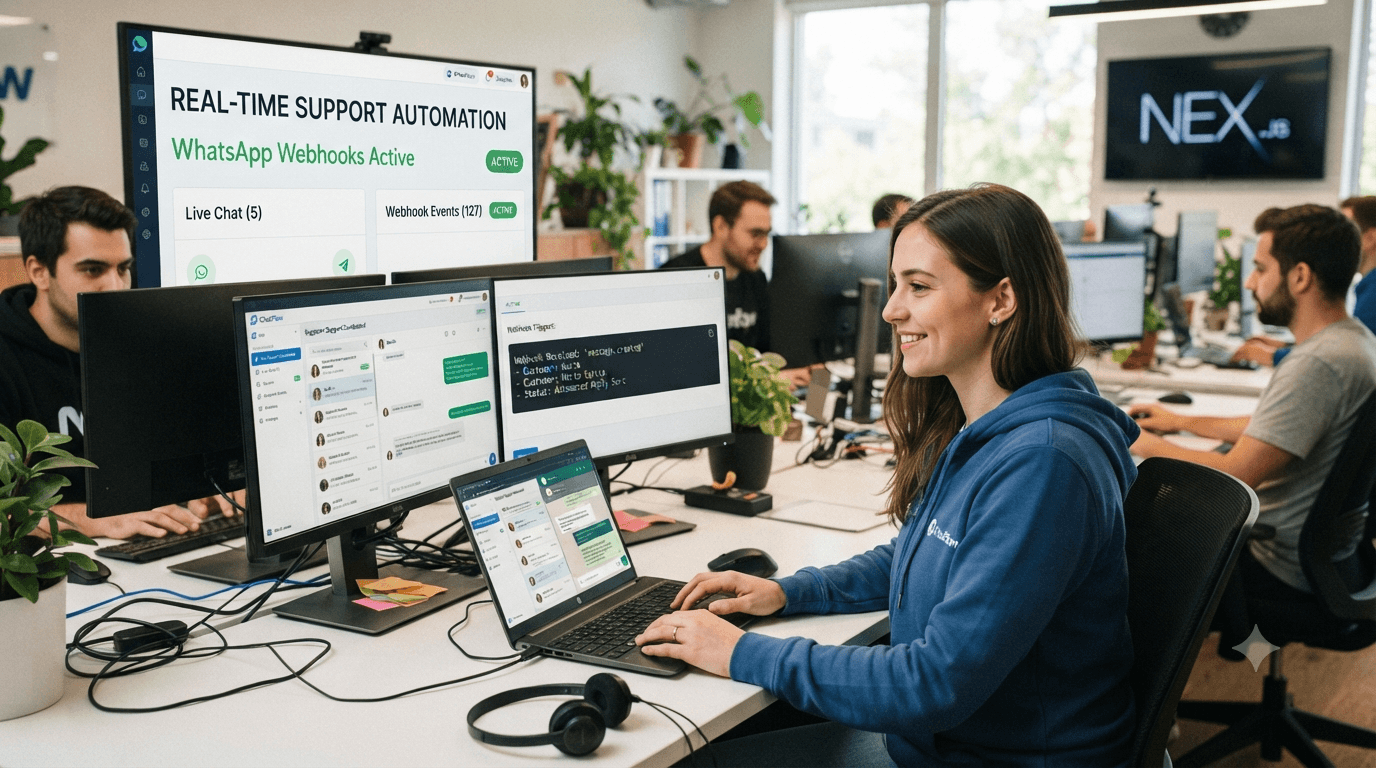
For customer support teams, that can mean faster replies, automatic routing, AI-powered assistance, notifications, ticket creation, and human handoff—all without someone constantly monitoring a WhatsApp inbox.
In this guide, we'll explain how WhatsApp webhooks work, how they fit into customer support automation, and how businesses can use them to create faster, more connected customer experiences.
What Is a WhatsApp Webhook?
A webhook is essentially a way for one system to notify another system when an event happens.
With WhatsApp Business API integrations, a webhook can notify your application when something relevant happens—for example, when a customer sends a message or when the status of a message changes.
Think of it like this:
Customer sends WhatsApp message → WhatsApp sends an event → Your system receives it → Automation decides what to do → Customer gets a response
Without a webhook-based workflow, your application would have to keep asking:
"Do I have a new message?"
Then ask again.
And again.
Webhooks change that model.
Instead of continuously checking, your system can wait for an event and react when it arrives.
That's especially useful when customer conversations need to move quickly.
Why Do Webhooks Matter for Customer Support?
Customer support is highly dependent on timing.
If someone asks a simple question and receives an answer immediately, the interaction feels effortless.
If the same customer waits several hours before anyone notices their message, the experience is very different.
A webhook doesn't magically solve customer support on its own. What it does is provide the real-time event layer that allows other systems and automations to react quickly.
For example:
A customer sends:
"I can't log in to my account."
The incoming message can trigger a workflow that:
Receives the message.
Identifies the customer.
Checks the conversation history.
Determines whether the question can be answered automatically.
Sends the relevant response.
Routes the conversation to a support agent if necessary.
Records the interaction for future follow-up.
The webhook is what helps start that process as soon as the event occurs.
How WhatsApp Webhooks Work
The easiest way to understand the process is to look at a typical support conversation.
Step 1: A customer sends a message
The customer contacts your business through WhatsApp.
For example:
"Can you help me change my subscription?"
Step 2: WhatsApp generates an event
WhatsApp communicates the relevant event to the webhook endpoint configured for your integration.
Your application can then process that event.
Step 3: Your automation receives the information
Your support system can determine what the customer is trying to do.
It might identify the message as:
Intent: Subscription support
Customer: Existing customer
Priority: Normal
Step 4: The workflow takes action
Depending on your setup, the system might:
Answer the question automatically
Look up information
Create or update a support ticket
Assign the conversation to an agent
Trigger an internal notification
Start a support workflow
Ask the customer for additional information
Step 5: The customer receives a response
The customer gets an answer without a support employee having to manually monitor every incoming message.
That's the real value of webhooks.
They connect customer activity to business action.
WhatsApp Webhooks vs Polling: What's the Difference?
There are two common ways software can find out that something has happened.
Polling
Your application repeatedly checks for new information.
For example:
Check → Wait → Check → Wait → Check again
This can create unnecessary requests and introduce delays depending on how frequently the system checks.
Webhooks
Your application receives an event when something happens.
The model becomes:
Event happens → Notification arrives → Workflow starts
For real-time customer support, the second approach is often much more practical because the system can react as events occur.
This matters when your business is handling a large number of customer conversations.
What Can You Automate After a WhatsApp Webhook Event?
This is where webhooks become particularly useful.
The webhook itself isn't the automation.
It is the trigger that allows automation to happen.
Here are some common examples.
1. Instant Customer Responses
Suppose customers regularly ask:
"What are your business hours?"
Instead of waiting for an agent, an automated workflow can respond immediately.
This is one of the simplest applications of a WhatsApp customer support automation tool.
Common questions can be answered automatically while your support team focuses on conversations that require human attention.
2. AI-Powered Customer Support
A webhook can trigger an AI workflow when a customer sends a message.
For example:
Customer: "My payment went through but my subscription isn't active."
The system can understand the customer's intent and provide the next appropriate step.
If the issue is straightforward, the AI assistant can help resolve it.
If it requires account-specific investigation, the conversation can be handed to a human agent.
This is where AI powered chatbots for businesses become useful—not simply for answering questions, but for understanding what should happen next.
3. Smart Conversation Routing
Not every customer should go to the same support queue.
A webhook-driven workflow can help route conversations based on information such as:
Customer type
Product
Language
Support category
Priority
Previous conversation
Sales or support intent
For example:
Pricing question → Sales
Technical issue → Technical Support
Existing customer issue → Customer Success
Billing problem → Finance/Billing
This reduces the amount of manual sorting your support team has to do.
WhatsApp Technical Support Automation for SaaS
SaaS companies are a particularly interesting use case.
A SaaS customer might send:
"The integration isn't syncing."
That message could trigger a technical support workflow.
The system could:
Identify the customer.
Understand the issue.
Ask for the relevant details.
Provide a troubleshooting guide.
Check whether the issue is resolved.
Escalate the conversation if it isn't.
This is the foundation of WhatsApp technical support automation for SaaS.
It is especially useful when support teams receive large numbers of repetitive questions.
Instead of asking an agent to manually handle every "How do I...?" question, automation can resolve common issues immediately and reserve human support for more complicated cases.
4. Create Support Tickets Automatically
Another useful webhook workflow is automatic ticket creation.
Imagine a customer sends:
"My account has been locked and I can't access anything."
Instead of asking an employee to copy the conversation into a separate ticketing system, the workflow could create a support case automatically.
The ticket could contain:
Customer information
WhatsApp conversation
Issue category
Priority
Time of the request
Previous interactions
Now the agent starts with context instead of starting from zero.
That's an important distinction.
Good automation doesn't just make support faster. It gives agents better information.
5. Human Handoff When Automation Isn't Enough
One of the biggest mistakes businesses make with chat automation is trying to automate every conversation.
That's rarely necessary.
Some questions are simple.
Others aren't.
A customer might start with:
"How do I change my plan?"
An automated assistant can probably handle that.
But then the customer might say:
"I was charged twice this month."
That's a situation where a human may need to investigate the account.
A well-designed workflow can recognize that the conversation needs human attention and route it accordingly.
The customer shouldn't have to start a completely new conversation.
The support agent should receive the existing context.
How Webhooks Fit Into an Omnichannel Support System
WhatsApp is only one communication channel.
A growing business may also receive customer conversations through:
Website chat
Instagram
Facebook
Email
Other messaging channels
If every channel operates separately, support teams end up switching between multiple dashboards.
That's where an omnichannel live chat inbox becomes valuable.
Instead of treating every message as an isolated interaction, businesses can bring conversations into a shared support environment.
A typical workflow might look like:
WhatsApp / Website / Instagram
↓
Customer message
↓
Webhook or channel event
↓
Automation / AI
↓
Intent detection
↓
Routing
↓
Shared support inbox
↓
Human agent when required
This creates a more consistent customer experience.
It also supports a multi-channel customer support chat approach, where teams can manage conversations across different channels without losing context.
Webhooks + AI + Human Support: A Better Model
The most useful way to think about modern customer support isn't:
Automation vs humans
It's:
Automation + AI + humans
Each layer has a different job.
Automation
Handles predictable actions.
Examples:
Notifications
Routing
Follow-ups
Ticket creation
Reminders
AI
Handles conversations that require language understanding.
Examples:
FAQs
Product questions
Troubleshooting
Lead qualification
Information gathering
Human agents
Handle situations requiring judgment or personal attention.
Examples:
Complex technical issues
Billing disputes
Sensitive customer requests
High-value accounts
Exceptions to normal processes
Webhooks help connect these layers.
A Simple Real-Time Support Workflow
Here's what this can look like in practice.
Customer
"My order hasn't arrived yet."
Receives the message and generates the relevant event.
Webhook
Passes the event to the connected system.
Automation
Identifies this as an order-support conversation.
AI
Asks for or identifies the necessary order information.
Business system
Checks the order status.
Response
"Your order is currently out for delivery and is expected to arrive today."
Escalation
If the order information can't be retrieved or the customer reports a problem, the conversation goes to a support agent.
The customer gets help without needing to understand any of the technology behind the process.
That's exactly how good automation should work.
The technology stays in the background.
What Happens When a Webhook Fails?
This is an important part of building reliable automation.
A webhook-based support system should not assume that every event will always arrive perfectly.
Businesses should think about:
Event retries
Duplicate events
Authentication
Request validation
Logging
Error handling
Monitoring
Idempotency
Backup workflows
For example, if the same event is received twice, your system shouldn't accidentally create two support tickets or send the same customer two identical responses.
This is why webhook implementation should be treated as part of the overall reliability of your support infrastructure—not simply as a small API configuration step.
Webhooks Are the Foundation, Not the Whole Solution
It's easy to think of webhooks as the automation itself.
They're not.
A webhook answers:
"Something happened. Here is the event."
Your application or automation platform then decides:
"What should we do about it?"
That distinction is important.
A webhook by itself won't improve your customer experience.
The value comes from what you build around it.
For example:
Webhook
→ New customer message
AI
→ Understands the question
Automation
→ Determines the next action
CRM
→ Provides customer information
Support inbox
→ Gives the agent context
Human
→ Handles the issue when necessary
That's the complete customer support system.
How Chati Can Fit Into This Workflow
For businesses that don't want to build every part of their WhatsApp support infrastructure from scratch, a platform such as Chati can provide a more practical way to bring automation, AI conversations, and customer support workflows together.
Instead of thinking only about the WhatsApp API layer, the bigger question is:
"What should happen after a customer sends us a message?"
That's where a WhatsApp customer support automation tool becomes useful.
For example, a business can build workflows around:
Incoming WhatsApp message
↓
Automated response or AI conversation
↓
Customer qualification
↓
Routing
↓
Human support when required
↓
Follow-up
The exact workflow depends on the business, but the principle remains the same: customer messages should trigger useful actions rather than simply sit in an inbox.
For teams managing WhatsApp alongside other channels, an omnichannel live chat inbox can also help bring those conversations into a more organized support workflow.
When Should You Use WhatsApp Webhooks?
Webhooks become particularly useful when your business needs to react to customer activity quickly or connect WhatsApp with other systems.
Consider using webhook-driven workflows if you need to:
Automate customer support
Trigger AI responses
Route conversations
Create support tickets
Update CRM records
Send notifications
Track conversation events
Connect WhatsApp with internal systems
Build SaaS support workflows
Manage large volumes of customer conversations
If you're receiving only a handful of messages per day and responding manually, you may not need a complex automation architecture yet.
But as conversation volume grows, event-driven automation becomes much more valuable.
Best Practices for WhatsApp Webhook-Based Support
Keep the customer experience simple
Customers don't care whether your workflow uses webhooks, APIs, AI, or multiple backend systems.
They care about getting an answer.
Keep the conversation natural.
Always provide a path to a human
Automation should make it easier to reach support, not harder.
Don't automate everything
Automate predictable work and let people handle situations where judgment matters.
Keep context
Don't force customers to repeat information they've already provided.
Monitor failures
A workflow that works 99% of the time can still create frustrating experiences if the remaining 1% isn't handled properly.
Start with repetitive questions
The best first automation opportunities are usually the questions your support team answers every day.
The Real Value of WhatsApp Webhooks
The biggest benefit of WhatsApp webhooks isn't technical.
It's operational.
A webhook allows customer activity to become an immediate trigger for your business systems.
A message can become:
A response
A support ticket
An AI conversation
A routed conversation
A CRM update
A notification
A human handoff
Instead of waiting for someone to notice that a customer needs help, your support system can react automatically.
And that's what makes webhooks such an important building block for real-time customer support automation.
Final Thoughts
WhatsApp has become an important customer communication channel, but simply having a WhatsApp inbox isn't enough when conversation volume starts growing.
Customers expect businesses to respond quickly.
Support teams need context.
And businesses need a way to connect conversations with the systems and workflows they already use.
WhatsApp webhooks provide the event-driven foundation that makes this possible.
Combined with AI, automation, CRM integrations, and an organized support inbox, they can help businesses move from:
"Someone needs to check WhatsApp."
to:
"The system already knows a customer needs help—and has started the right workflow."
That's the real promise of real-time customer support automation: not replacing human conversations, but making sure the right conversation happens at the right time.
Ready to automate your WhatsApp customer support?
If your team is spending too much time manually monitoring WhatsApp, routing conversations, answering repetitive questions, or switching between support tools, it may be time to automate the workflow.
Chati helps businesses bring WhatsApp conversations, AI automation, customer support, and human handoff into a more connected workflow.
Explore Chati and see how WhatsApp automation can fit into your customer support process.
Frequently Asked Questions
What is a WhatsApp webhook?
A WhatsApp webhook is a mechanism that allows a connected application or system to receive notifications about relevant WhatsApp events. Businesses can use these events to trigger workflows such as automated responses, support routing, ticket creation, and other actions.
How do WhatsApp webhooks help customer support?
They allow support systems to react to incoming WhatsApp events without relying on someone to manually monitor messages. This can help trigger automated responses, AI assistance, routing, notifications, and human handoff.
Can WhatsApp webhooks work with AI chatbots?
Yes. A webhook can trigger a workflow that passes an incoming customer message to an AI-powered support system. The AI can then determine how to respond or whether the conversation should be escalated.
Can webhooks automatically create support tickets?
Yes, a webhook-driven workflow can be designed to create or update support tickets when particular WhatsApp events or customer messages are received.
Are WhatsApp webhooks useful for SaaS companies?
They can be particularly useful for SaaS businesses that want to automate customer onboarding, technical support, notifications, troubleshooting, and escalation workflows.
Do webhooks replace customer support agents?
No. Webhooks are a technical mechanism for delivering events to connected systems. The automation built around those events can handle repetitive tasks while human agents continue to handle complex or sensitive customer issues.
What is the difference between a webhook and WhatsApp automation?
A webhook is an event notification mechanism. WhatsApp automation is the broader workflow built around customer interactions. A webhook can be one of the triggers that starts an automated workflow.