Businesses today are looking for faster, more personalized, and more efficient ways to communicate with their customers. WhatsApp has become an important channel for customer support, marketing, sales, order updates, appointment reminders, and business conversations.
As customer expectations grow, many companies are exploring WhatsApp automation to reduce manual work and improve customer engagement. However, one important question often arises:
Should your business use a ready-made WhatsApp automation platform or invest in custom development?
Both approaches offer unique advantages. A WhatsApp automation platform can help businesses launch workflows quickly with fewer technical resources, while custom development provides greater control over features, integrations, and customer experiences.
The right choice depends on your business goals, budget, technical requirements, scalability needs, and the level of customization you require.
In this guide, we will compare WhatsApp automation platforms with custom development and explore how AI-powered chatbots, bulk messaging, and modern business messaging solutions can support your growth.
What Is a WhatsApp Automation Platform?
A WhatsApp automation platform is a software solution that helps businesses manage and automate customer conversations and messaging activities through WhatsApp.
Instead of handling every interaction manually, businesses can use automation to respond to common questions, send notifications, qualify leads, manage customer requests, and organize communication workflows.
Depending on the platform, common features may include:
Automated customer replies
Chatbot-based conversations
Lead qualification and routing
Customer support workflows
Message templates
Campaign management
Team inboxes
CRM and third-party integrations
Analytics and conversation tracking
Automated notifications and reminders
A platform-based approach allows businesses to use existing tools and workflows instead of developing an entire messaging system from the ground up.
For small businesses, growing companies, and teams without large development departments, this can reduce the time and resources required to begin automating customer communication.
WhatsApp Automation Platform vs Custom Development: Understanding the Difference
The main difference between these approaches is how the automation solution is created, maintained, and managed.
A ready-made platform provides prebuilt capabilities that businesses can configure according to their needs. Custom development, on the other hand, involves designing and building a solution specifically for an organization's processes and technical requirements.
Let's examine both approaches.
1. Implementation Speed
WhatsApp automation platforms
Prebuilt platforms generally allow businesses to begin with existing features, templates, integrations, and workflow tools. Teams can configure automation without developing every component from scratch.
This can be useful for businesses that want to launch customer support automation, lead engagement, or messaging campaigns within a shorter timeframe.
Custom development
Custom solutions require planning, development, testing, deployment, and ongoing maintenance. The timeline depends on the complexity of the project and the integrations involved.
Custom development may take longer, particularly when the business needs advanced dashboards, specialized workflows, or connections with multiple internal systems.
Key consideration: If your priority is launching automation quickly, a ready-made platform may be a practical starting point. If you need a highly specialized system, custom development may be worth considering.
2. Cost and Budget
Cost is another important factor when comparing a WhatsApp automation platform with custom development.
A platform typically uses a subscription or usage-based pricing model. Your overall expenses may depend on the features, number of users, messaging volume, integrations, and service requirements.
Custom development usually involves initial development costs along with expenses related to:
Software development
Hosting and infrastructure
Security and testing
API integration
Maintenance and updates
Technical support
Future feature development
Although a custom solution may provide greater control, its total cost should include both the initial investment and ongoing operational expenses.
Businesses should compare the total cost of ownership, rather than focusing only on the initial price.
3. Flexibility and Customization
Customization is one of the main reasons businesses consider building their own automation solution.
A custom system can be designed around specific business processes, such as:
Complex approval workflows
Industry-specific customer journeys
Custom reporting requirements
Proprietary software integrations
Specialized user permissions
Advanced business logic
A platform may also offer customization through workflow builders, APIs, webhooks, and integrations. However, its flexibility depends on the capabilities and limitations of the provider.
Before choosing a platform, businesses should evaluate whether it can support their current requirements and anticipated future needs.
A useful approach is to distinguish between essential customization and unnecessary complexity. Not every business needs a completely custom-built system to deliver an effective customer experience.
AI Powered Chatbots for Businesses: Platform vs Custom-Built Solutions
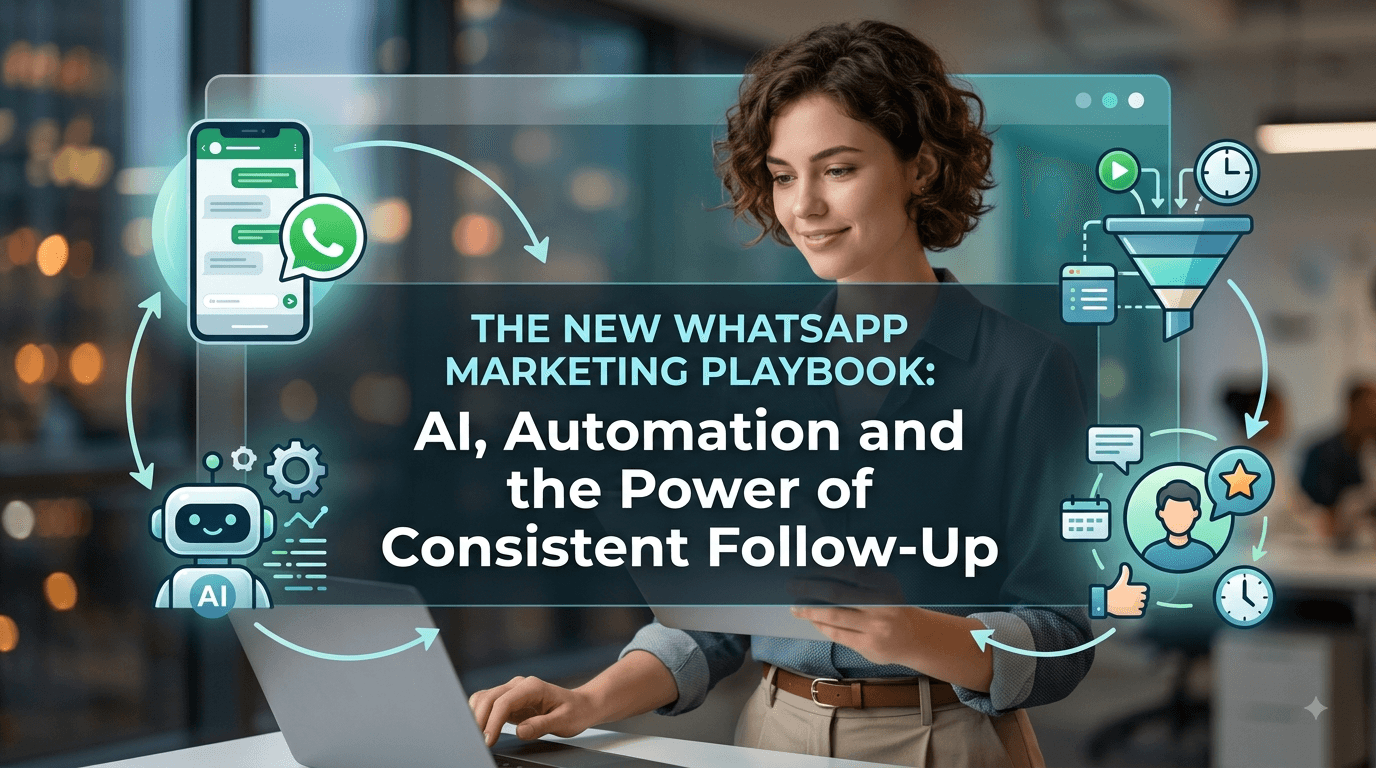
AI-powered chatbots are changing how businesses handle customer conversations. Instead of relying entirely on predefined responses, AI-enabled chatbots can help interpret customer questions, provide relevant information, and guide users through different processes.
Businesses exploring AI powered chatbots for businesses generally have two options: use an existing chatbot platform or develop a custom AI chatbot solution.
How AI Chatbots Support Business Operations
AI chatbots can assist with a variety of customer-facing and internal workflows, including:
Answering frequently asked questions
Supporting product and service discovery
Collecting customer information
Qualifying potential leads
Helping customers navigate services
Providing order or booking-related information
Routing complex queries to human agents
Supporting multilingual conversations, where available
Reducing repetitive tasks for support teams
The actual capabilities of a chatbot depend on its AI model, configuration, data sources, integrations, and safety controls.
Using an AI Chatbot Platform
A platform-based AI chatbot solution can be useful for businesses that want to implement conversational automation without building the entire infrastructure themselves.
Depending on the platform, businesses may be able to configure:
Conversation flows
Knowledge sources
Automated responses
Human handover rules
Customer data collection
Integration workflows
Business-specific instructions
This approach can make it easier for nontechnical teams to manage and improve their chatbot experience.
However, businesses should assess how the platform handles inaccurate responses, sensitive customer information, escalation to human agents, and access permissions.
Developing a Custom AI Chatbot
A custom AI chatbot may be suitable when a business needs more control over its conversational logic, data architecture, and system integrations.
For example, an enterprise might require a chatbot that connects with an internal service platform, retrieves account-specific information, follows complex business rules, and records every interaction in a proprietary system.
Custom development can support these requirements, but it also creates additional responsibilities related to testing, monitoring, security, and maintenance.
What Should Businesses Consider?
Before implementing AI-powered chatbots, consider the following questions:
What customer questions should the chatbot answer?
Which information sources can the chatbot access?
When should a conversation be transferred to a human agent?
What customer information should be collected?
How will incorrect or uncertain responses be handled?
Which systems need to be integrated?
How will chatbot performance be monitored?
The goal should not simply be to add AI to WhatsApp. The goal is to create a useful, reliable, and well-managed customer experience.
WhatsApp Bulk Message Broadcast: Automation Features and Considerations
Businesses often use WhatsApp to share announcements, promotions, reminders, updates, and other relevant information with customers.
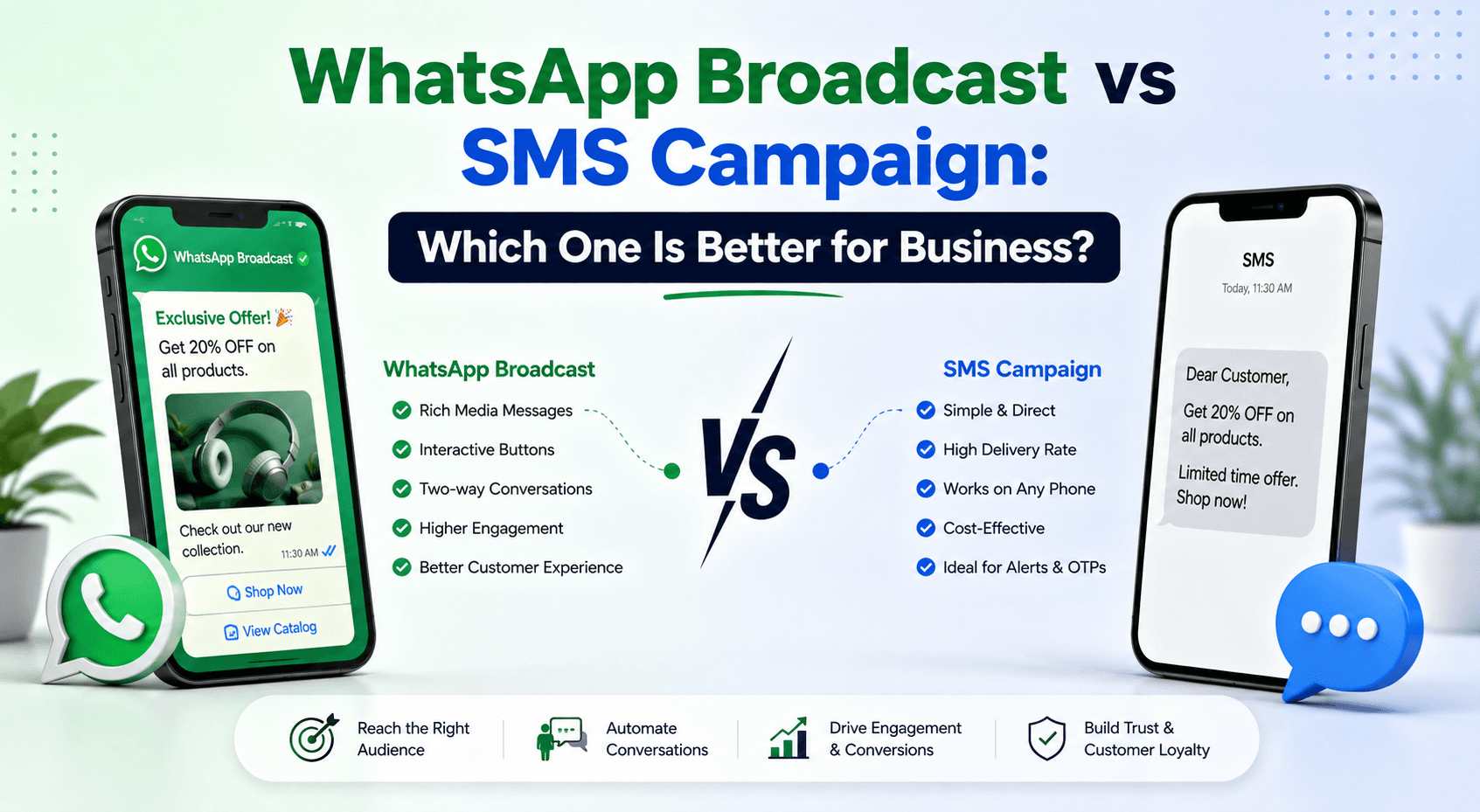
The term WhatsApp Bulk Message Broadcast is commonly used to describe sending messages to multiple recipients. However, businesses should distinguish between legitimate, permission-based business messaging and unsolicited mass communication.
A successful messaging strategy should prioritize customer consent, relevance, appropriate frequency, and applicable WhatsApp business requirements.
Common Business Use Cases for Bulk Messaging
Businesses may use broadcast and campaign messaging for:
Promotional announcements
New product launches
Event invitations
Appointment reminders
Order and delivery updates
Service notifications
Customer re-engagement
Educational content
Time-sensitive business updates
The type of messaging available to a business depends on its chosen WhatsApp setup, approved features, and applicable platform policies.
Bulk Messaging vs Automated Conversations
Bulk messaging and conversational automation serve different purposes.
Bulk Messaging
Conversational Automation
Sends relevant messages to multiple customers
Responds to individual customer interactions
Useful for announcements and campaigns
Useful for support, sales, and lead qualification
Often follows a planned campaign
Usually triggered by a customer action or workflow
Focuses on outbound communication
Supports two-way conversations
Requires careful audience and consent management
Requires conversation logic and escalation processes
For example, an online retailer might use a messaging campaign to announce a seasonal sale. When customers reply with questions, an automated chatbot could help them find products or connect them with a support agent.
Combining appropriate outbound messaging with responsive customer support can create a more complete communication workflow.
Best Practices for Business Messaging
To make messaging campaigns more effective:
Send messages to customers who have provided the appropriate consent.
Use relevant and clear content.
Avoid excessive messaging frequency.
Segment audiences according to customer needs.
Provide clear next steps where appropriate.
Respect opt-out requests.
Monitor delivery, engagement, and customer feedback.
Follow applicable WhatsApp and local regulatory requirements.
Businesses should focus on providing value rather than simply increasing message volume.
WhatsApp and RCS Services for Business: Understanding Messaging Options
As businesses expand their communication strategies, they may also explore WhatsApp RCS services for business and other messaging channels.
It is important to understand that WhatsApp and RCS are separate messaging technologies. WhatsApp operates through its own business messaging ecosystem, while RCS is a carrier-supported messaging standard that can provide enhanced messaging experiences on compatible devices and networks.
Although these technologies differ, both may be relevant to businesses evaluating customer communication channels.
WhatsApp for Business Communication
WhatsApp can support customer conversations such as:
Customer service
Sales inquiries
Order-related communication
Appointment reminders
Product discovery
Notifications
Automated assistance
Its usefulness depends on the business's setup, target audience, available features, and customer preferences.
RCS for Business Messaging
RCS, or Rich Communication Services, is designed to provide enhanced messaging capabilities beyond traditional SMS in supported environments.
Depending on availability and provider capabilities, RCS may support features such as:
Rich media
Interactive buttons
Branded messaging experiences
Suggested replies
Enhanced message content
Support and functionality can vary by country, carrier, device, and messaging provider.
Should Your Business Use WhatsApp, RCS, or Both?
The right communication channel depends on your audience and use case.
Consider the following factors:
Where your customers prefer to communicate
Regional availability
Device and network compatibility
Required messaging features
Integration capabilities
Customer consent and communication preferences
Operational and platform requirements
Rather than selecting a channel solely because it offers more features, businesses should consider which channel supports their customers' actual needs.
A multichannel communication strategy may be appropriate for organizations serving different customer groups or regions.
Platform vs Custom Development: Integrations and Scalability
The ability to connect WhatsApp automation with existing business systems can significantly influence the success of an implementation.
Businesses may want to connect messaging workflows with:
Customer relationship management systems
E-commerce platforms
Help desk software
Payment systems
Inventory tools
Appointment scheduling software
Marketing automation systems
Internal databases
Analytics platforms
Integrations With a Platform
Many automation platforms offer integrations through native connectors, APIs, webhooks, or third-party automation tools.
Before selecting a platform, verify:
Which integrations are available
Whether the required API access is included
How customer data is synchronized
Whether webhooks are supported
How errors and failed messages are handled
Whether integration limits apply
Prebuilt integrations can reduce development work, but they may not support every specialized business process.
Integrations With Custom Development
Custom development can provide greater control over how systems communicate. Developers can design specific data flows and business rules based on organizational requirements.
However, custom integrations require ongoing maintenance. Changes to external APIs, authentication methods, data structures, or business systems may require technical updates.
Scalability Considerations
Scalability is not limited to the number of messages a business sends. It also includes:
Number of customers
Number of agents
Conversation complexity
Integration volume
Data processing requirements
Reporting needs
Support and monitoring requirements
Businesses should confirm that their chosen solution can support expected growth while maintaining reliability and manageable operating costs.
Security, Privacy, and Reliability
Customer messaging often involves personal information, account details, transaction information, and other sensitive data.
Security and privacy should therefore be considered before implementing any WhatsApp automation solution.
Important areas to evaluate include:
Access controls and user permissions
Secure authentication
Data storage and retention
Integration security
Audit logs
Vendor security practices
Data handling responsibilities
Human review and escalation procedures
Applicable privacy and data protection obligations
AI-powered systems also require additional safeguards. Businesses should determine how the chatbot handles uncertain answers, restricted information, and requests that require human intervention.
A solution should be assessed not only for its features but also for how reliably and responsibly those features can be operated.
How to Choose the Right WhatsApp Automation Solution for Your Business
There is no single solution that works for every business. The right choice depends on the complexity of your workflows, available resources, and long-term objectives.
Use the following considerations when evaluating your options.
Choose a Platform-Based Solution If:
A ready-made WhatsApp automation platform may be a suitable option if your business:
Wants to launch automation quickly
Has limited development resources
Needs standard customer support or sales workflows
Wants prebuilt integrations
Prefers predictable implementation processes
Needs a solution that nontechnical teams can manage
Wants to test automation before making a larger investment
A platform can also be a useful starting point for businesses that expect their automation needs to evolve over time.
Consider Custom Development If:
Custom development may be worth exploring if your business:
Requires highly specialized workflows
Needs extensive internal system integration
Has unique security or data architecture requirements
Requires complete control over the user experience
Has an experienced development team
Needs features unavailable through existing platforms
Can support ongoing maintenance and infrastructure costs
Custom development should be evaluated based on business value, not customization alone.
Consider a Hybrid Approach
Businesses do not always have to choose between a platform and a fully custom solution.
A hybrid approach may combine a ready-made automation platform with custom integrations or specialized development.
For example, a business might use an existing platform for conversation management while developing a custom integration that connects it to an internal CRM or inventory system.
This approach can help balance implementation speed with business-specific requirements, provided the platform supports the necessary integration capabilities.
A Practical Evaluation Checklist
Before selecting a WhatsApp automation solution, ask the following questions:
WhatsApp Automation Selection Checklist
What is the primary business objective: support, sales, marketing, or notifications?
How many customer conversations do we expect to manage?
Do we need AI-powered chatbot functionality?
Which CRM, e-commerce, or business systems must be integrated?
Do we need bulk messaging or campaign management?
What level of workflow customization is necessary?
What is our implementation and ongoing maintenance budget?
Who will manage and monitor the automation?
How will human-agent escalation work?
Does the solution support relevant security, privacy, and compliance requirements?
Can the solution scale as our business grows?
Answering these questions can help your team compare potential solutions based on actual business requirements rather than feature lists alone.
Why Businesses Should Start With Their Use Case
A common mistake is choosing a technology before defining the problem it needs to solve.
For example, a business might invest in a sophisticated chatbot when its primary challenge is simply responding to frequently asked questions. Another business might choose a basic platform even though it requires complex integrations and customized workflows.
Start by identifying the customer journey you want to improve.
Consider these examples:
For customer support: Automate frequently asked questions, provide basic assistance, and transfer complex issues to human agents.
For sales: Capture leads, ask qualifying questions, share relevant information, and route high-intent prospects to the sales team.
For marketing: Deliver relevant, permission-based campaigns and provide a clear way for customers to respond.
For operations: Send appointment reminders, order updates, and other useful notifications through supported business messaging workflows.
Once the use case is defined, it becomes easier to determine whether a platform, custom development, or a combination of both is appropriate.
Conclusion: Find the Right WhatsApp Automation Approach for Your Business
Choosing between a WhatsApp automation platform and custom development depends on your business goals, budget, technical requirements, and desired level of control.
A ready-made platform can provide a faster way to implement automation, manage customer conversations, and support business workflows. Custom development can offer greater flexibility for organizations with specialized requirements and complex integrations.
AI-powered chatbots can help businesses manage repetitive conversations and improve customer assistance, while carefully planned messaging campaigns can support customer engagement and communication. Businesses may also evaluate different messaging channels, including WhatsApp and RCS, based on audience needs and regional availability.
The most effective approach is to select a solution that balances functionality, reliability, scalability, cost, and customer experience.
If you are looking for a way to simplify customer communication, explore how Chati.ai can support your business automation goals. Evaluate your current workflows, identify opportunities for automation, and choose an approach that helps your team communicate with customers more efficiently.
Ready to explore WhatsApp automation for your business? Discover the possibilities with Chati.ai and take the next step toward more efficient customer conversations.