WhatsApp Business API vs App: Which One Does Your Business Actually Need?
A no-fluff guide to understanding the real difference — and making the right choice before it costs you customers.
If you've been searching for a WhatsApp Business API provider in India or trying to figure out the difference between the WhatsApp Business App and the API — you're not alone. Most businesses start with the free app, hit a wall, and then scramble to find the right upgrade path. This guide cuts through the confusion so you can make the right decision the first time — and stop leaving revenue on the table.
What Is the WhatsApp Business App?
The WhatsApp Business App is a free mobile application made by Meta. It works like the regular WhatsApp, but adds a few business-specific features:
- A business profile (address, description, website, hours)
- Quick replies for common questions
- Labels to organize chats (e.g., "New Customer," "Pending Payment")
- Automated away messages and greeting messages
- Basic product catalogue
What Is the WhatsApp Business API?8989898989898
The WhatsApp Business API (officially called the WhatsApp Business Platform) is not an app. It's a set of programming interfaces that lets businesses connect WhatsApp to their own systems — CRMs, e-commerce platforms, helpdesks, and automation tools.
You access it through a WhatsApp Business API provider (also called a Business Solution Provider or BSP) — like Chati.
What the API unlocks
- Send messages to thousands of contacts at once (broadcasts)
- Automate full customer journeys — from lead capture to post-purchase support
- Multiple agents handling the same WhatsApp number simultaneously
- Integration with your CRM, Shopify, or any business tool
- AI-powered chatbots that work 24/7
- Detailed analytics — delivery rates, read rates, response times, campaign ROI
- Support for WhatsApp, Instagram, Facebook Messenger, SMS, and RCS from one dashboard
WhatsApp Business App vs API: Side-by-Side Comparison
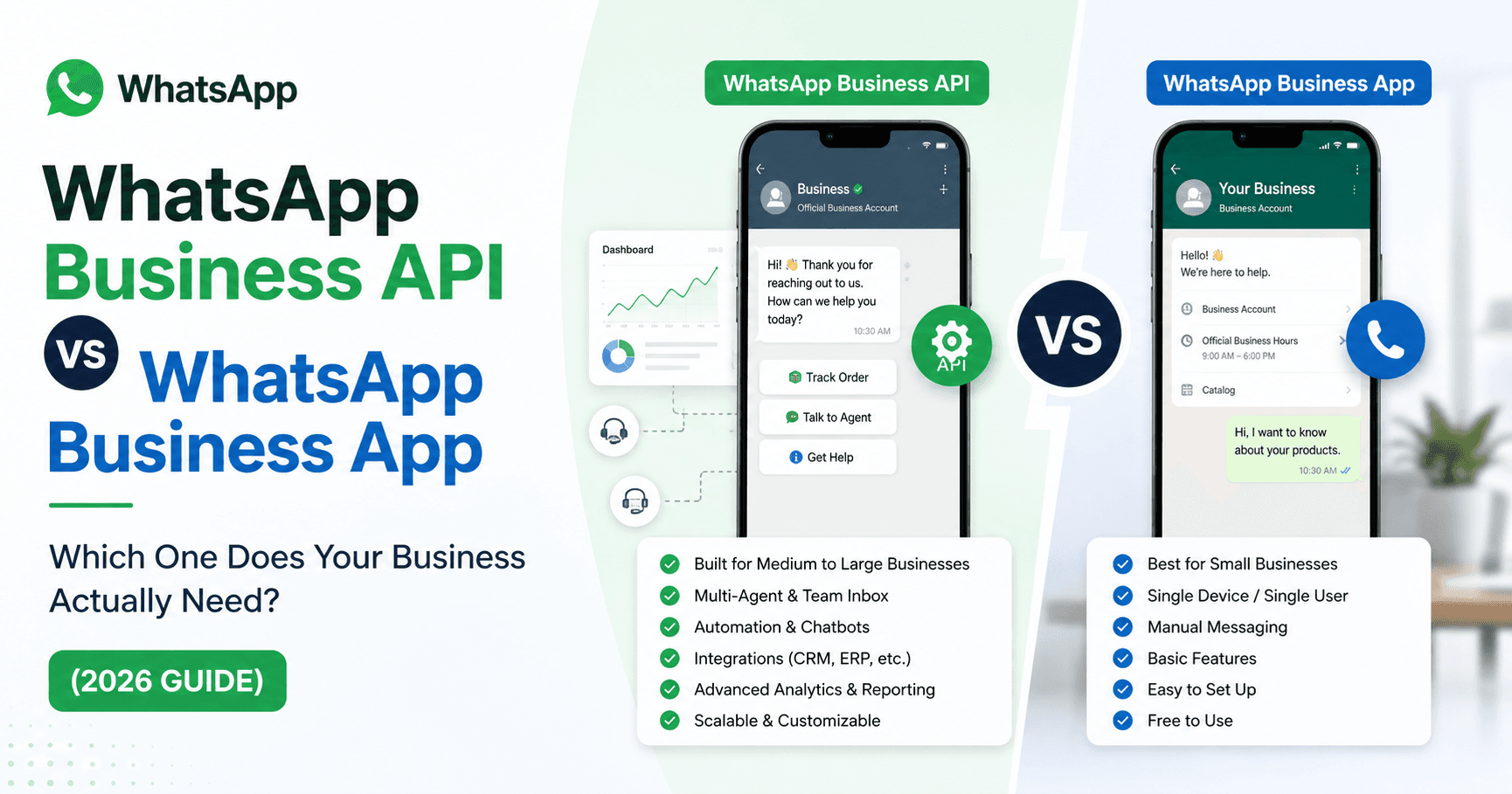
| Feature | WhatsApp Business App | WhatsApp Business API |
|---|---|---|
| Cost | Free | Paid (via BSP like Chati) |
| Number of agents | 1 device only | Unlimited agents, one number |
| Broadcast limit | 256 contacts (opted-in only) | Unlimited (approved templates) |
| Automation & chatbots | Basic auto-replies only | Full workflow automation |
| CRM integration | ✗ Not possible | ✓ Yes |
| Analytics & reporting | ✗ Very limited | ✓ Real-time dashboards |
| Third-party integrations | ✗ | ✓ Full support |
| Multiple channels | WhatsApp only | WhatsApp + Instagram + SMS + RCS |
| WhatsApp Blue Tick | ✗ Not available | ✓ Eligible |
| Suitable for | 1–5 chats/day | 50 to 50,000+ chats/day |
The Real Problem with the WhatsApp Business App (That Nobody Talks About)
Here's what actually happens when businesses try to scale on the free app:
-
01You can only use one phone at a time Your entire customer support team has to share one device or one WhatsApp Web session. The moment a second agent tries to log in, the first gets disconnected.
-
02Broadcasts go to only 256 people And those 256 people must have your number saved. If you have 5,000 customers, you're doing this in 20 rounds. Manually.
-
03You can't automate anything meaningful The "away message" and "quick replies" are cosmetic features. Real automation — abandoned cart reminders, appointment confirmations, payment alerts, drip sequences — none of that is possible.
-
04No data, no decisions You have no idea how many people read your message, clicked your link, or ignored you. You're flying blind.
-
05You're one phone theft away from losing everything Your entire customer communication history lives on one device.
When Should You Move to the WhatsApp Business API?
Move to the API when even one of the following is true:
- You have more than one person handling customer chats
- You want to send promotional messages to more than 256 people
- You're running an e-commerce store and want automated order updates, cart recovery, or COD confirmations
- You're a healthcare clinic wanting to send automated appointment reminders to patients
- You're a real estate team with multiple agents handling leads
- You want to connect WhatsApp with your CRM or helpdesk
- You want an AI chatbot that qualifies leads before your team steps in
- You want to track whether your campaigns are actually working
How Does WhatsApp Business API Pricing Work in 2026?
Many businesses avoid the API because they assume it's expensive. Here's how it actually works: Meta charges per conversation, not per message. A conversation is a 24-hour window that opens when either your business or the customer sends the first message.
User-initiated conversations
When a customer messages you first. Free or very low cost. Great for support interactions.
Business-initiated conversations
When you message first using an approved template. Per-conversation fee — India rates are among the lowest globally.
In addition to Meta's fee, your BSP (like Chati) charges a platform fee that covers unlimited users, automation, analytics, and support. The math usually surprises people: automating 1,000 abandoned cart reminders that recover even 3–5% of lost sales covers the entire platform cost many times over.
What Is a WhatsApp Business API Provider (BSP) and Why Do You Need One?
You cannot access the WhatsApp API directly without significant technical setup. A WhatsApp Business API provider handles:
- Getting your business verified and approved by Meta
- Setting up your phone number on the API
- Helping you create and get message templates approved
- Providing the platform (dashboard, chatbots, automation, analytics) on top of the raw API
- Ongoing compliance and support
Chati is a Meta-verified WhatsApp Business API provider. It gives you full API capability wrapped in a clean platform — so you don't need developers or technical expertise to get started. You can be live in under 24 hours.
Chati also supports WhatsApp, Instagram DMs, Facebook Messenger, SMS, and RCS — all from a single omnichannel inbox.
Step-by-Step: How to Get Started with WhatsApp Business API via Chati
- Sign up at chati.ai — free 7-day trial, no credit card needed
- Connect your business phone number — this is the number you'll use for all WhatsApp communication
- Verify your Meta Business account — Chati guides you through this; it usually takes less than a day. See the Meta verification guide →
- Set up your first automation — start simple: a welcome message or an FAQ chatbot
- Import your contacts and send your first broadcast campaign
- Connect your CRM or e-commerce platform for deeper automation via drip sequences and customer journeys
Most Chati customers send their first campaign within 48 hours of signing up.
Common Questions About WhatsApp Business API
The Bottom Line
The WhatsApp Business App is a fine starting point — but it has a very low ceiling. The moment your business needs more than one agent, wants to reach more than 256 people, or wants automation that actually saves time, you've outgrown it.
The WhatsApp Business API is what serious businesses use. It turns WhatsApp from a chat app into a full-stack WhatsApp marketing automation platform — one that generates leads, closes sales, handles support, and sends notifications automatically.
If you're evaluating a WhatsApp customer support automation tool for your business in India or globally, the decision isn't really whether to move to the API. It's which platform to use and how fast you want to get started.
Ready to Switch to WhatsApp Business API? Start in 24 hours.
Chati is a Meta-verified WhatsApp Business API provider in India — with automation, AI chatbots, omnichannel inbox, and campaign analytics included.
No credit card required · Cancel anytime · Live in under 24 hours